17 widgets
- button
- slider
- checkbox
- switch
- input
- dropdown
- tabs
- list
- progress
- spinner
- panel
- image
- hotkey
- color picker
- text
- separator
- shape
Drag widgets onto a canvas, style them live, press F5. Kavro writes clean, production-ready C++, C# or Rust and builds the .exe for you.
Start from a template, drag widgets in, snap to guides.
Colors, fonts, animations. Actions on every button.
Try it inside Kavro, then build a native .exe.
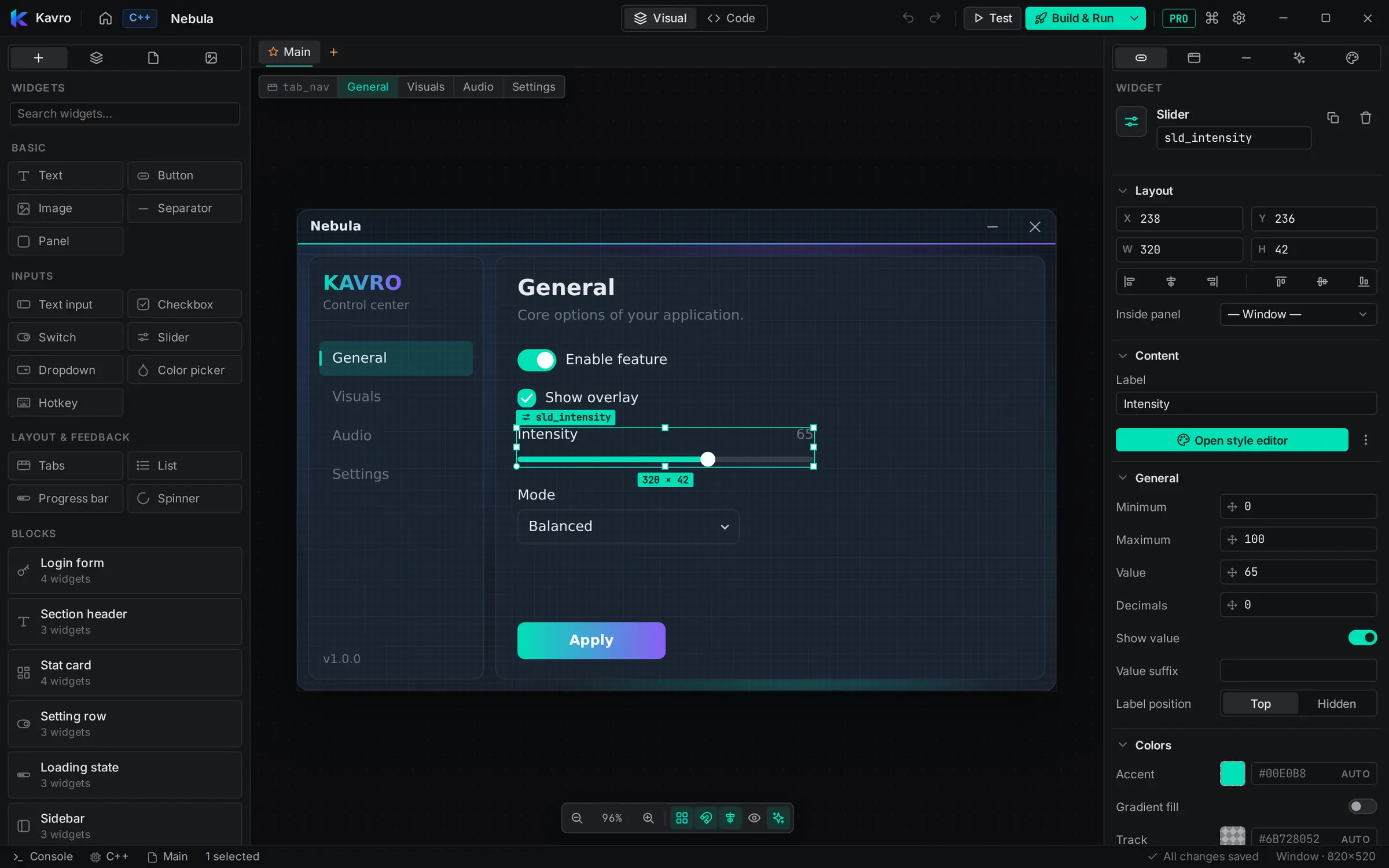
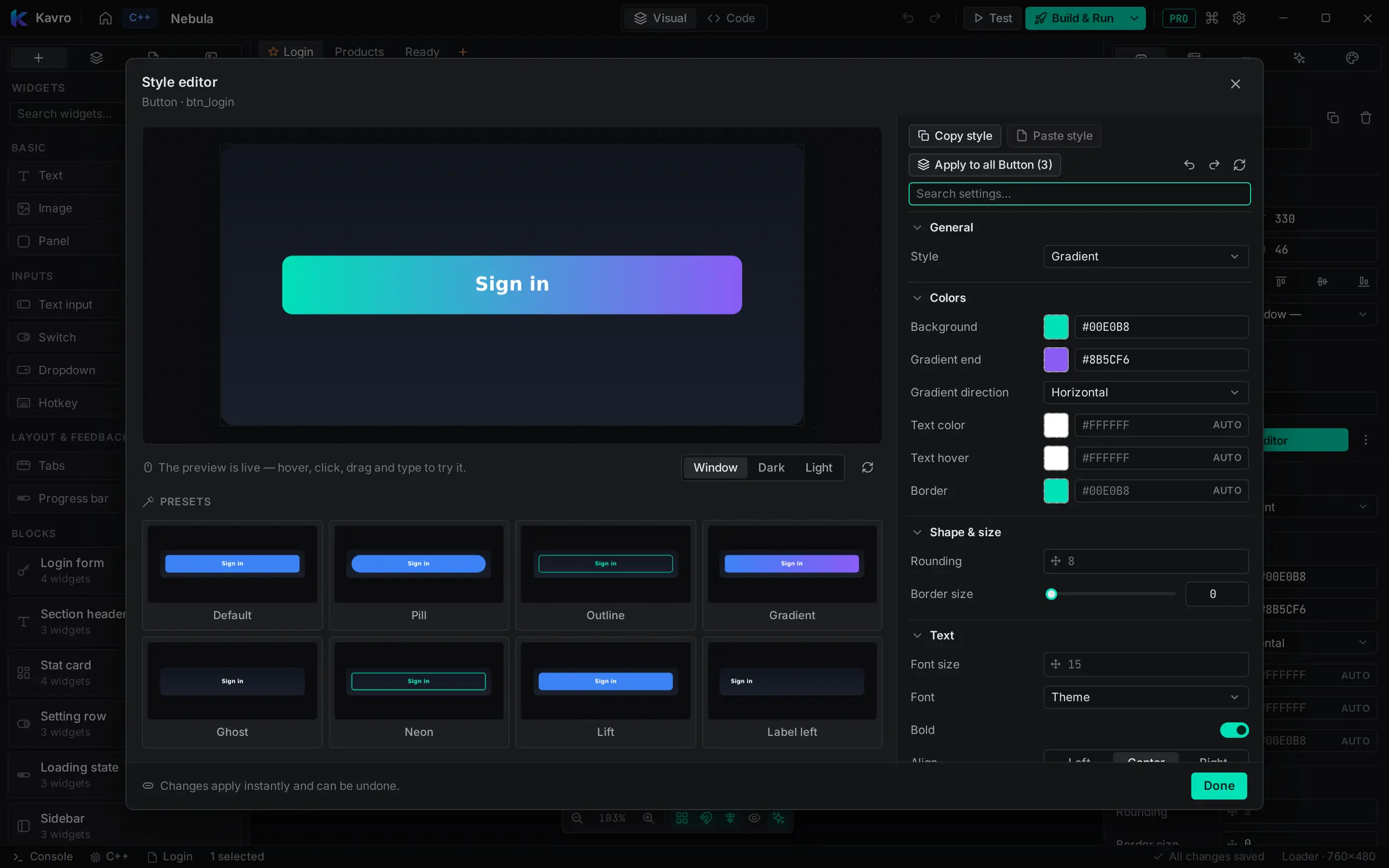
Glow, gradients, outlines, presets.
Login, switch page, notify, open, run.
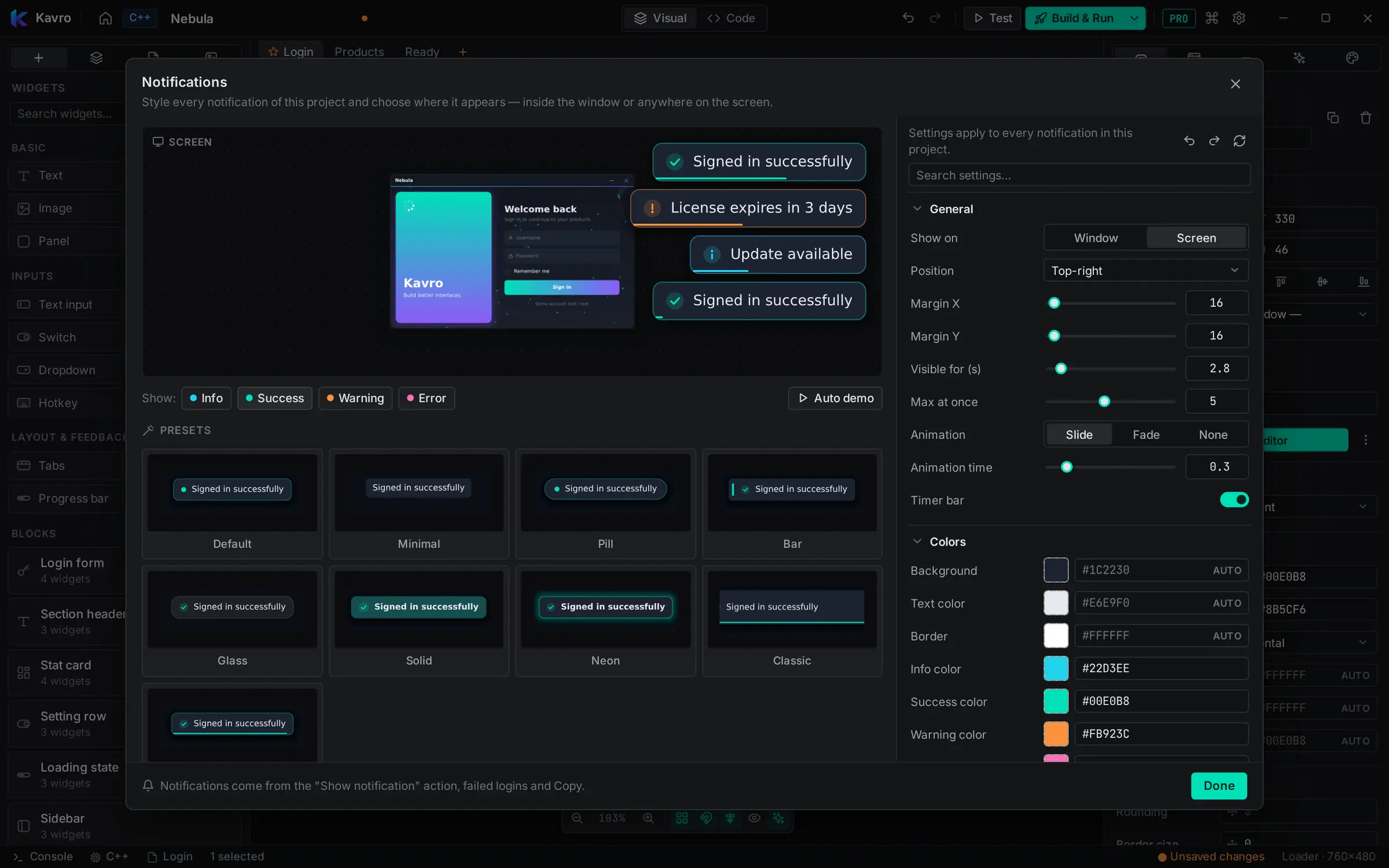
Six positions, icons, timer bars.
Transitions, hover effects, 13 backgrounds — from particles to geometric shapes, hexagons and meteors.
Borderless, own titlebar, drag anywhere.
Pro adds a whole workspace for AI. Describe a change and watch it happen on your menu, ask how to use the generated code, or let it put the menu into your own program.
Give the login page a dark purple look with rounded buttons and a “remember me” switch.
Purple: change the accent and both button colors. Round the buttons to 10 px. Swap the checkbox under the password for a switch and keep the ids…
Dark purple theme, buttons rounded to 10 px, and a “Remember me” switch under the password field.
Chat in the middle, settings always in view, a live preview of the page it's editing. Switch models without scrolling up.
Open new chats like tabs, rename or delete them. Every project keeps its own chats.
Live status, a timer and the model's reasoning while it works. Big redesigns can take minutes — it keeps going.
Check a change in the preview, then apply or discard it. Every AI change is one Ctrl+Z away.
Point it at your ImGui project: Kavro finds where the menu goes, adds it, builds your program and lets the AI fix errors — with undo.
“How do I read this slider in my loop?” Answers with snippets for your C++, C# or Rust project, ready to copy.
Standing instructions, answer language, creativity, and how much of the chat it remembers.
Free with Google Gemini, AiHubMix, OpenRouter or Ollama — or bring an Anthropic Claude or OpenAI key. Kavro adds nothing on top.
Everything it makes is normal Kavro widgets — tweak it by hand, test with F6, build with F5.
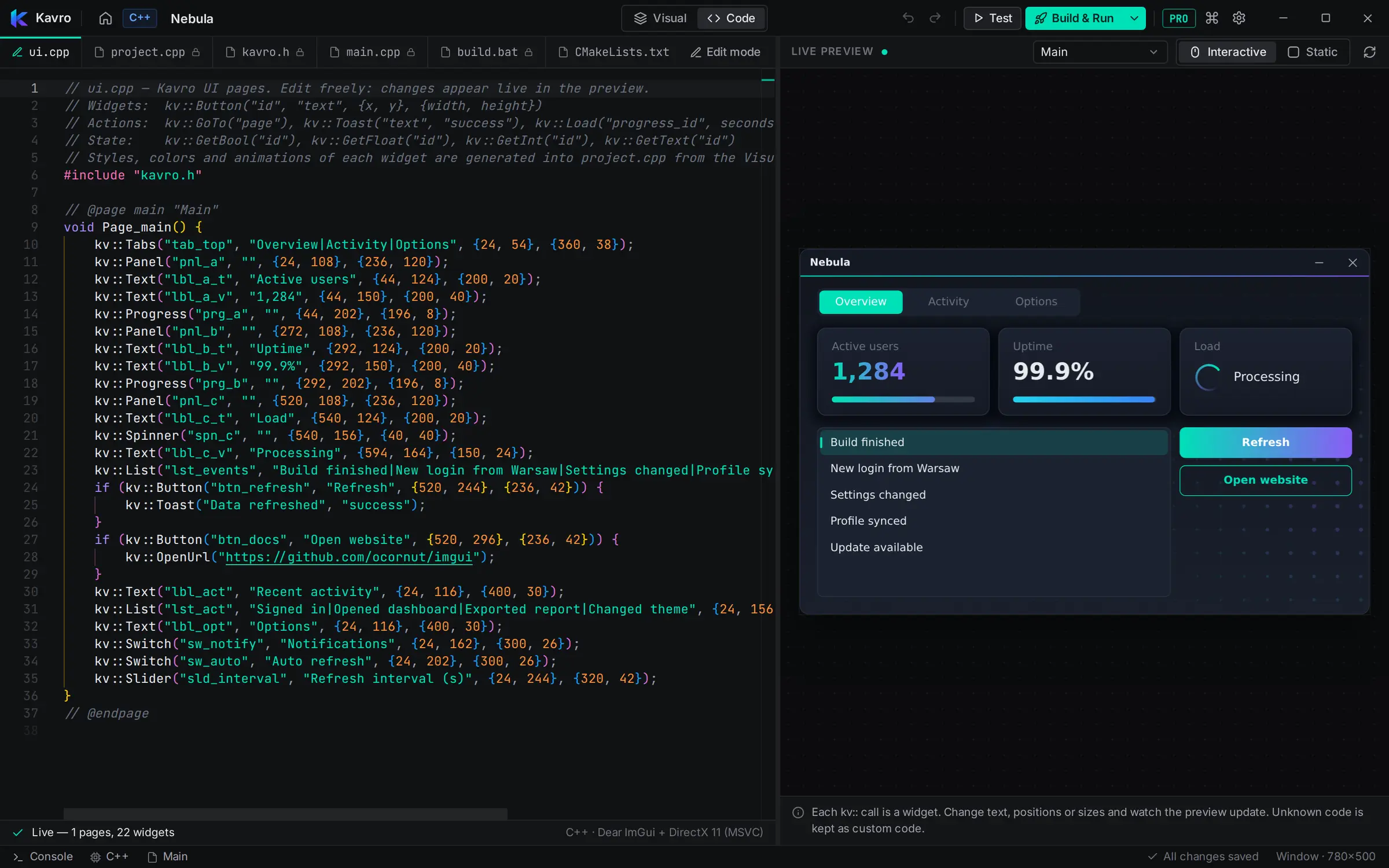
The real output for the demo window above.
Cancel any time — Pro stays until the end of the month.
| Feature | Free | Pro |
|---|
No. You can build a whole window without code. The generated file is plain code if you want to edit it.
Visual Studio for C++, the .NET 8 SDK for C#, or rustup for Rust. Kavro finds them on its own.
No. It's a normal standalone program.
Windows 10 and 11, 64-bit.
Pro adds an AI tab to the editor. Describe a change in plain words and it edits your menu — you can review it first, and undo it any time. Ask it how to use the generated code, or let it put the menu into your own ImGui program and check that it still builds.
Google Gemini, AiHubMix, OpenRouter, Ollama, Anthropic Claude and OpenAI. Gemini, AiHubMix and OpenRouter have free models with a free API key, and Ollama runs a model on your own PC without any key. Claude and OpenAI need a paid key from them. Kavro never charges for AI — any usage is billed by the provider to your own account.
Pro is billed monthly. Cancel any time from your dashboard — you keep Pro until the end of the month you paid for, and your projects and the code you exported stay yours.
Up to 3 at a time. Free a slot any time from your dashboard.